Parameters in XactInsights
 Updated
by
Mara K
Updated
by
Mara K
Parameters give users more flexible and interactive ways to analyse data. By storing user-selected values and applying them through formulas, parameters make it possible to compare the same time period across multiple years, work around limitations of standard date filters, and perform deeper analysis. Users can also use parameters to define their own metrics and see their results update instantly.
How to use parameters
Add a parameter to an answer
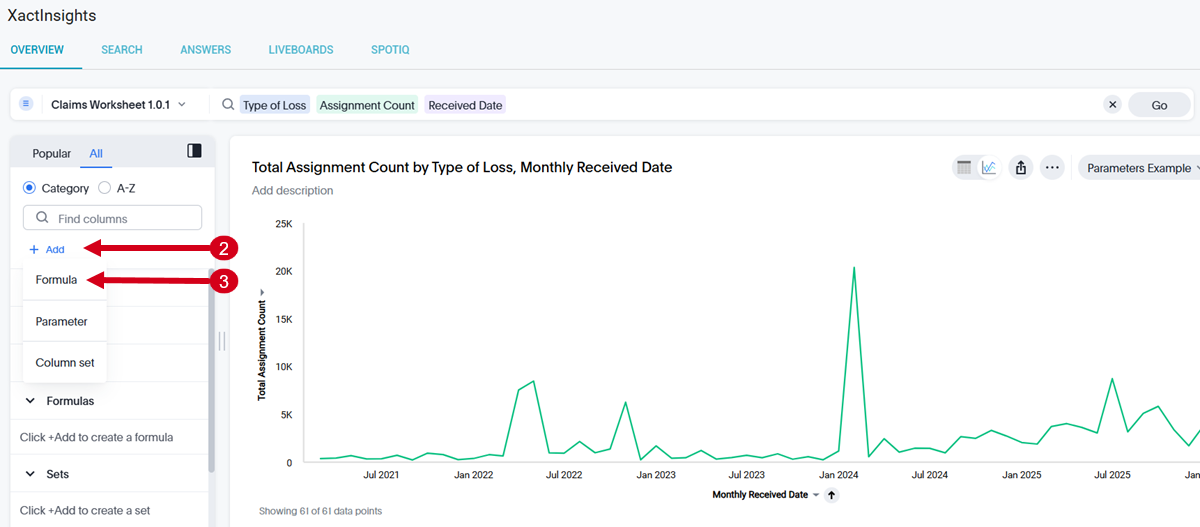
- Perform a search in XactInsights.
- Select +Add from the sidebar.
- Select Formula.
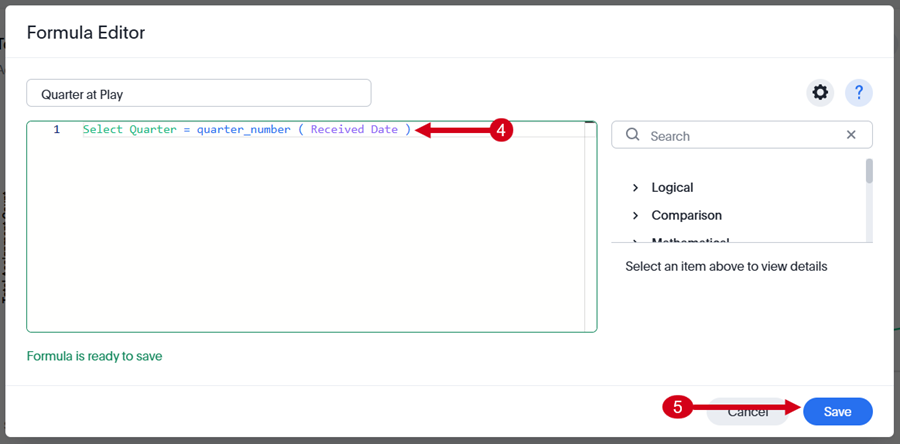
- Enter one of the following formulas:
- Select Quarter = quarter_number ( Received Date )
- Select Month = month ( Received Date )
- Select Save.
- Select the formula you created to add it to the search bar.
- Select Go.
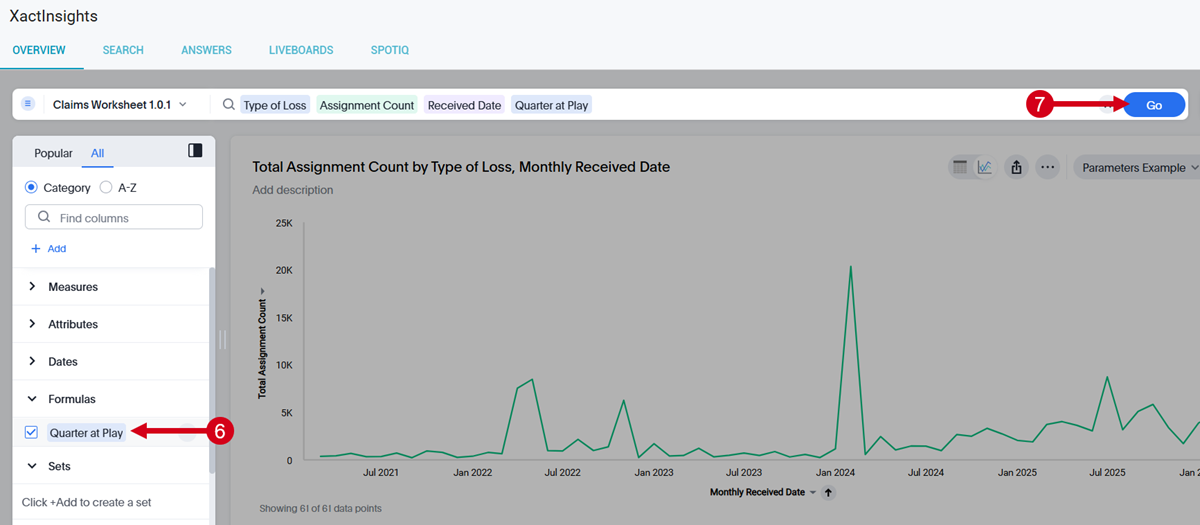
The parameter is now applied to the answer.
Change parameter values
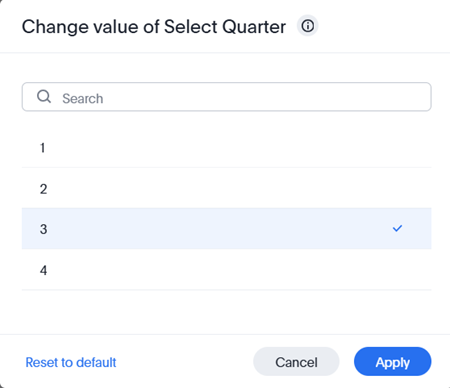
Each parameter has a default value, which is typically the first option in the list. You can change the value by following these steps:
- Do one of the following:
- Double-click on the parameter’s name in the sidebar.
- Select the Override parameter edit icon next to the parameter's name in the sidebar.
- Select the parameter from the search results.
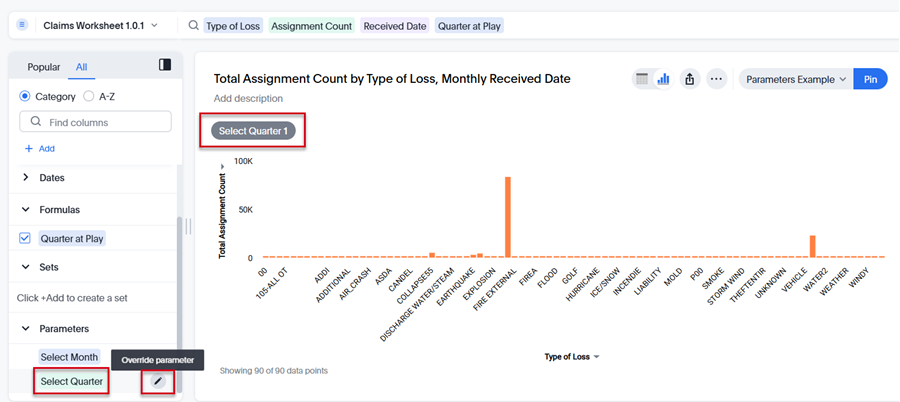
- Select the value you want (e.g., the quarter number or month name) from the provided list.
- Select Apply.